An export button is a good first investigation because you can name the beginning and the end. The click starts somewhere in the interface. A file is supposed to appear somewhere else. Your job is to connect those two events with evidence.
What we actually tested
On 27 October 2026, we ran REA’s analyze_javascript_application on our five-file Pocket Notes learning fixture. REA parsed three JavaScript files, reported no parse failures, and found one preload entrypoint, one exposed API member, one literal IPC channel and one matching renderer-to-main relationship.
The retained report also contains 79 semantic unknowns and explicit static-analysis limitations. Those matter: this exercise inspects code. It does not claim the Electron app was launched or that a save dialog successfully wrote a file.
Download the fixture ZIP and the recorded evidence. The small source is intentional. You can audit the answer without getting lost in a production bundle.
Screenshots below capture actual REA 6.8.0 CLI output, rendered from recorded command stdout in xterm.js on 27 October 2026. Orange arrows sit in a separate margin. Where a source excerpt follows REA output, the caption identifies it. Expand any image to read the details. Download the commands, view requests and evidence, or read the command transcripts.
1. Make the target precise
Extract the ZIP into a folder you can find. Its files are main.cjs, preload.cjs, renderer.js, index.html and package.json. There is no bundled Electron runtime and no install step for this static exercise.
Ask your connected agent to inspect that exact directory, or use the CLI:
npx -y rea-agents@latest analyze-javascript-application /absolute/path/to/pocket-notes --json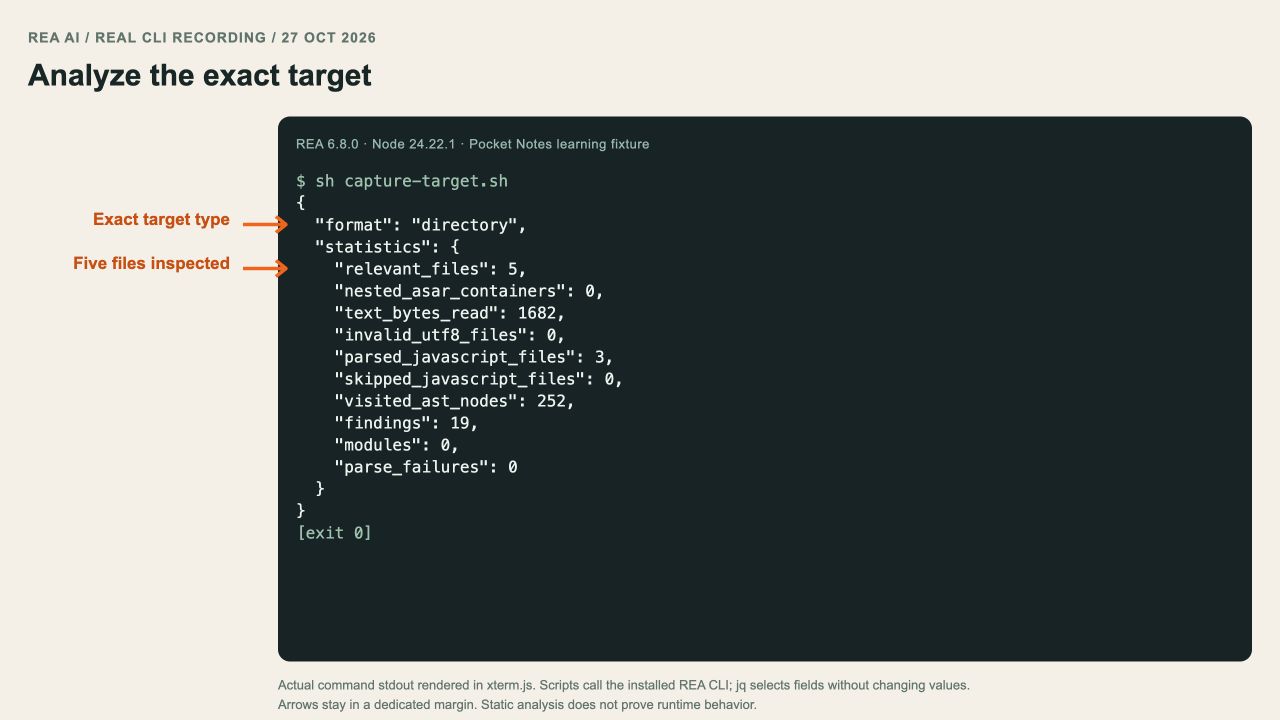
Actual REA output for the exact fixture directory. jq selects format and statistics without changing their values.
2. Trace the exposed bridge
The renderer calls window.notesAPI.exportNotes(notes). The preload exposes notesAPI with contextBridge.exposeInMainWorld, and its exportNotes member invokes the literal channel notes:export.
contextBridge.exposeInMainWorld('notesAPI', {
  exportNotes: notes => ipcRenderer.invoke('notes:export', notes)
});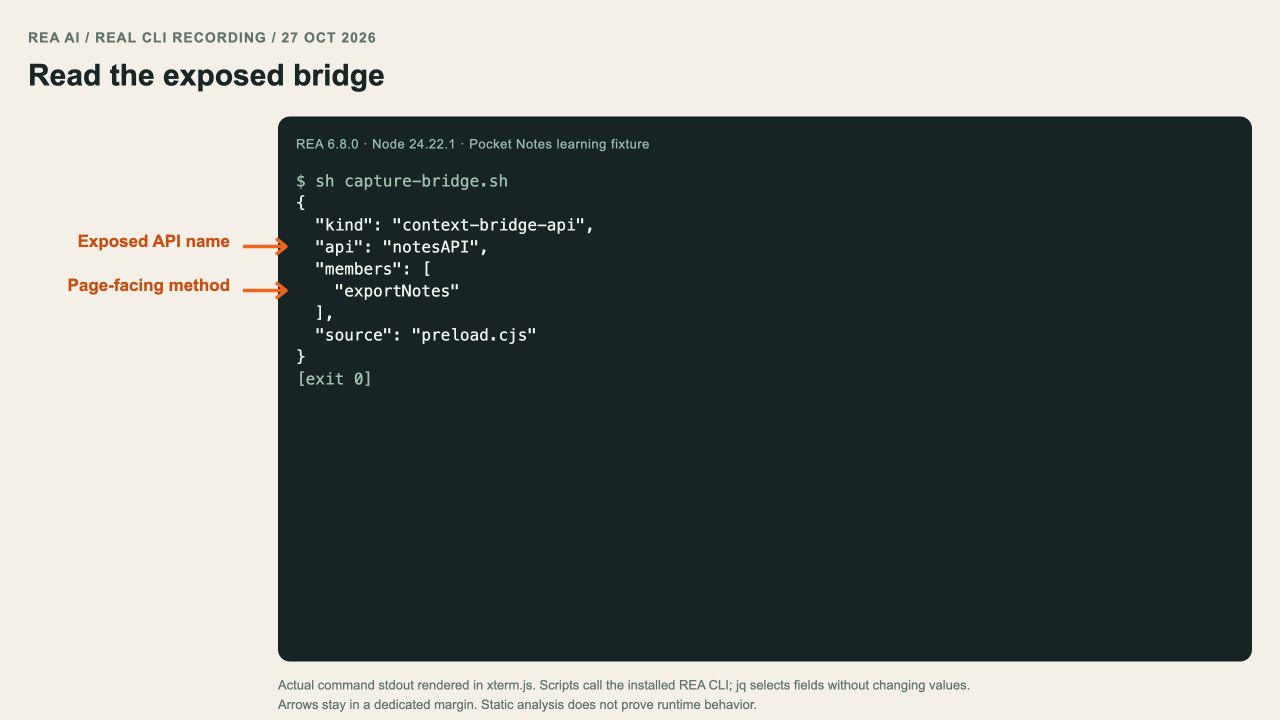
Actual inspect-analysis-view result: notesAPI, exportNotes and the source file. The complete view request is in the capture kit.
The important connection is the shared channel, not a guess based on a function name. Ask REA for the matching handler and its source location. If a relationship is unresolved, keep it unresolved in your notes.
3. Read the receiver and its stop conditions
The main process registers ipcMain.handle('notes:export', ...). It asks for a save location, returns { saved: false } if the dialog is cancelled, builds CSV rows, and calls writeFile with UTF-8 encoding.
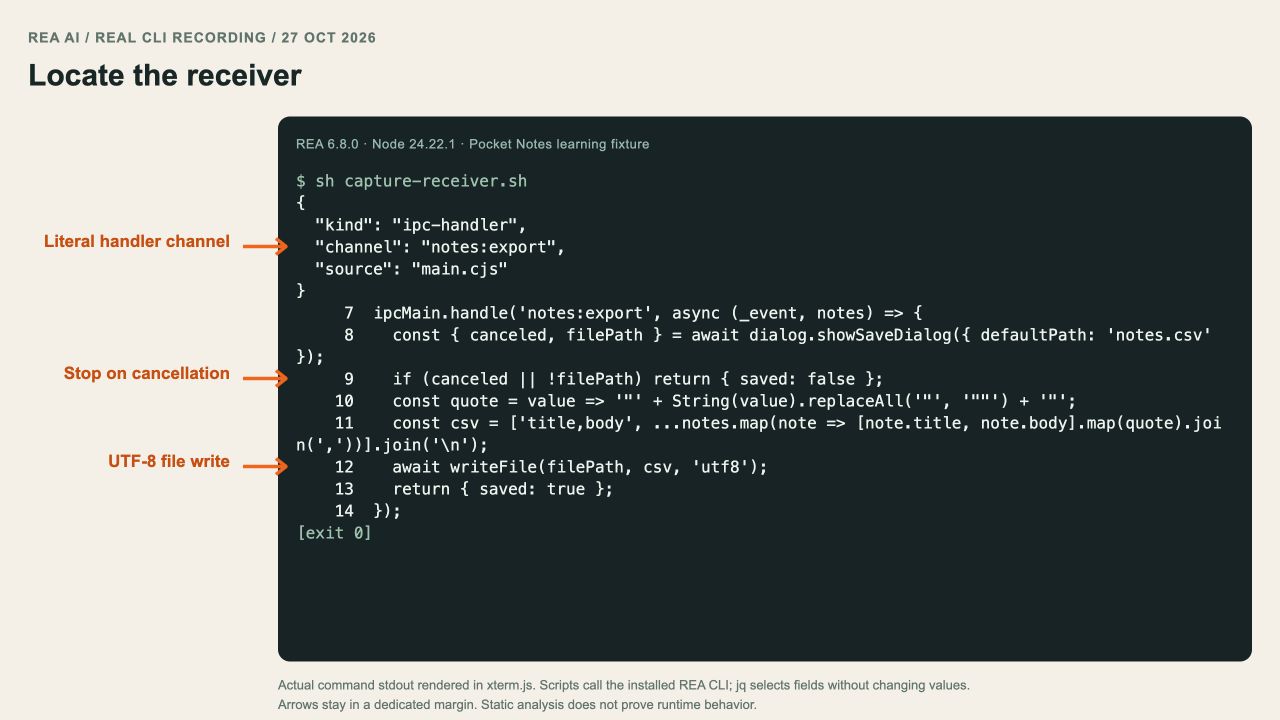
REA handler facts followed by a numbered source excerpt from the same fixture. nl prints source; it is not decompiled output or a captured save dialog.
Here is the path you should be able to explain in your own words:
Export click → notesAPI.exportNotes
→ ipcRenderer.invoke('notes:export')
→ ipcMain.handle('notes:export')
→ save dialog → CSV encoding → writeFile
4. Compare your conclusion with the evidence
Open the result and check the Electron summary. Our recorded result contains one paired renderer transmission and zero unpaired literal renderer transmissions. Those counts support this small fixture’s bridge relationship; they are not a completeness guarantee for every possible JavaScript application.
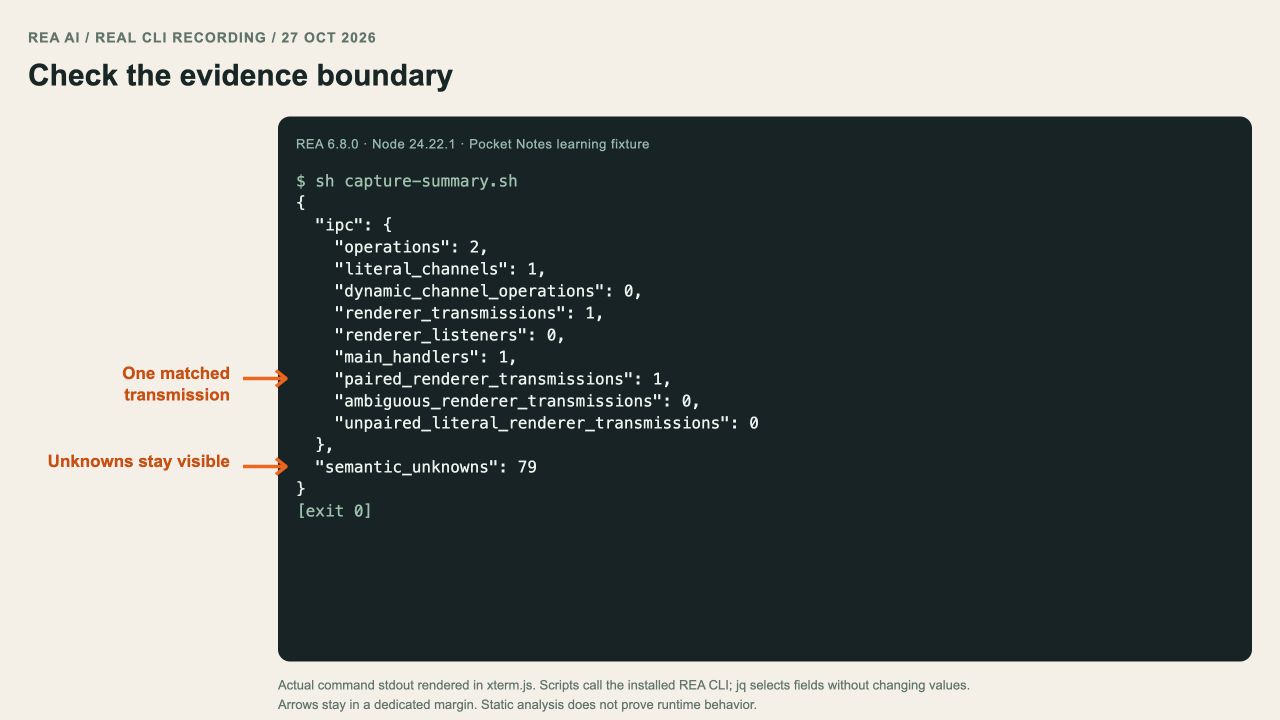
Actual retained REA summary, projected with jq. The unknown count is part of the evidence boundary, not a successful runtime test.
A good conclusion is: “The package contains a statically connected CSV export route with a cancellation branch.” A stronger claim such as “export works correctly” needs a runtime test.
What to verify before rebuilding it
Write down cases for an empty note list, a title containing a comma, a double quote, a multiline body, cancellation and a failed file write. The fixture is teaching material, not a production exporter: it has no sender validation, input schema or full error handling.
Use the evidence checklist before turning these findings into an implementation. Then try the IPC deep dive to see what becomes harder in a real packaged application.