You point an analyzer at a .NET application and get a native executable back. Where did the assemblies go?
For an ordinary single-file deployment, the outer apphost is native. The managed assemblies and configuration can be embedded inside it. A result that identifies the outer Mach-O, PE or ELF file does not settle what its bundle contains.
We tested the workflow proposed in issue #2352. Published REA 6.8.0 inventoried only our outer Mach-O host. A pinned source build found and extracted its four bundle members. Every extracted file matched its original expanded-byte hash, including compressed members.
What we tested
The REA tests used Node 24.22.1, macOS 26.6.2 arm64, published rea-agents@6.8.0, and source commit b1ff7cdacc03110d51bcac33da3cbb7850ac27fc. Both packages identify as 6.8.0, so keep the source commit in your evidence.
We used Microsoft.NET.HostModel from SDK 8.0.427 with the 8.0.33 osx-x64 apphost template to generate four thin Mach-O fixtures. The trusted generator runs; the resulting bundled hosts are never executed.
| Fixture | Header | Members | Compressed members |
|---|---|---|---|
| net3-plain | 1.0 | 4 | 0 |
| net5-plain | 2.0 | 4 | 0 |
| net8-plain | 6.0 | 4 | 0 |
| net8-compressed | 6.0 | 4 | 2 |
The fixture names identify the requested producer layout. They do not mean we installed or ran .NET 3 or .NET 5. Each bundle contains a DLL, dependency JSON, runtime configuration and a text resource.
The generator independently reads the bundle with C# BinaryReader and DeflateStream and compares each member with its original source file. Our REA checks then compare both inventory digests and actual extracted bytes with that oracle.
Every numbered step includes a real screenshot of the harness output, with arrows only. Full responses and the reproduction recipe are in the test kit.
1. Establish the input and tested reader
For an existing single-file app, keep the host unchanged. Inspection and extraction do not require installing .NET or launching the app.
To reproduce our exact experiment, extract the kit as dotnet-test, follow its README to build the pinned REA checkout, and generate the known fixtures. The README pins the SDK, apphost package and source-owned generator. Then run:
npm ci
node lab.mjs prepare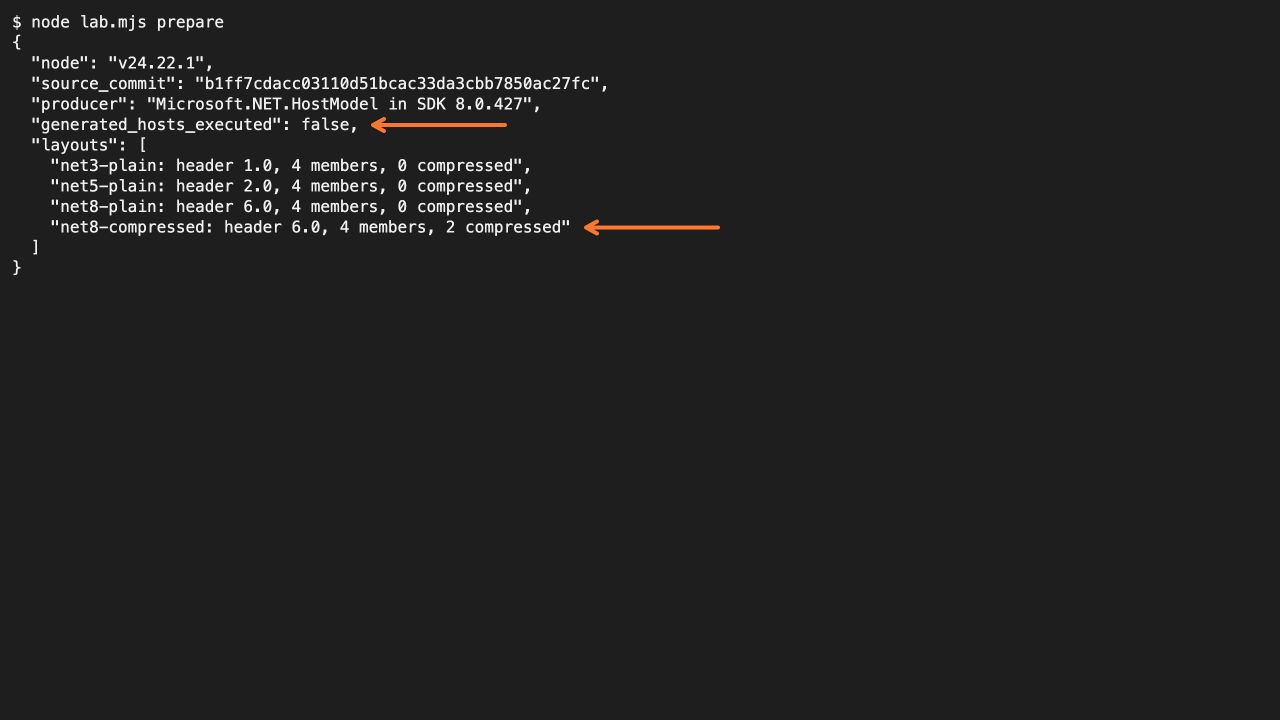
The kit includes the observed oracle records but generates the binaries locally. A different producer build can produce different DLL hashes; compare against that run’s oracle, not a copied hash from this article.
For the source checkout itself, use Node 24.22.1:
git clone https://github.com/morluto/rea.git rea-upstream-test
cd rea-upstream-test
git checkout b1ff7cdacc03110d51bcac33da3cbb7850ac27fc
npx --yes npm@11.16.0 ci
npx --yes npm@11.16.0 run build:cached
The later commands invoke this checkout explicitly. A global rea command may still select the published package that lacks the tested reader.
2. Inventory the bundle before treating the host as the whole app
Run the comparison:
node lab.mjs inventoryThe published baseline returns mach-o with no children for the compressed fixture. The pinned source reader returns dotnet-bundle with four members for every fixture. The harness also compares every member’s inventory hash with the producer oracle.
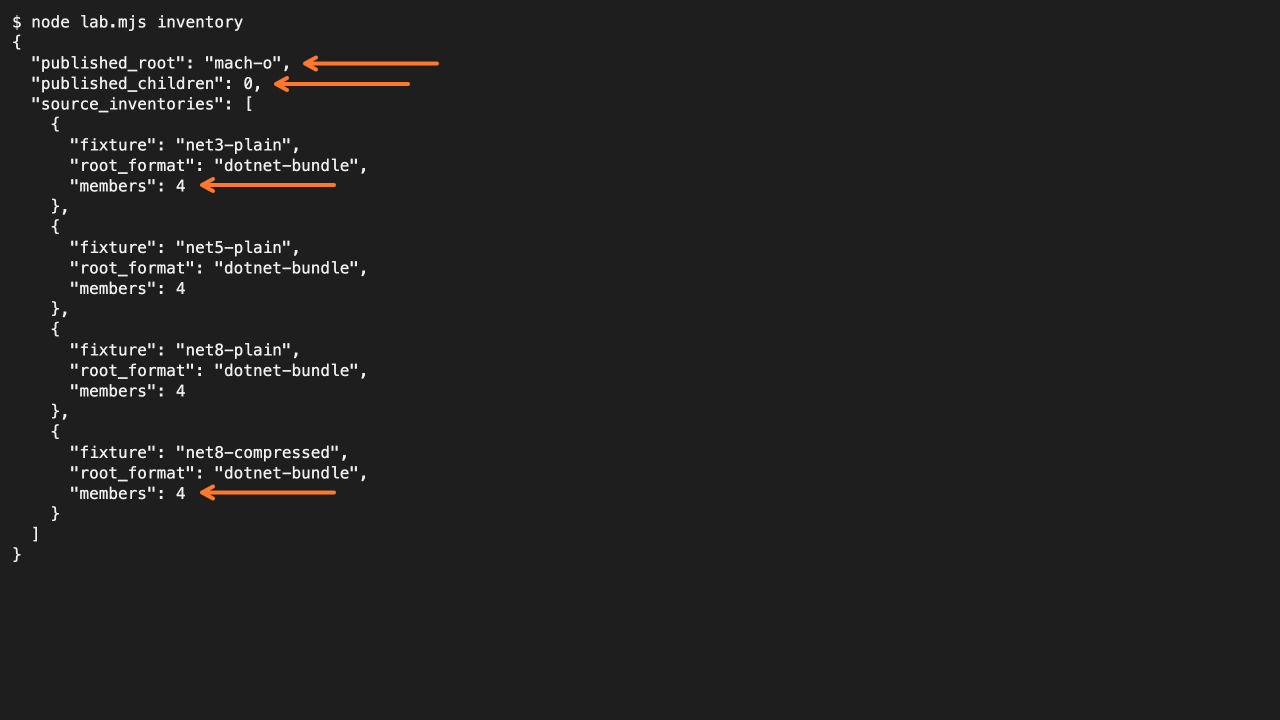
The inventory has five occurrences when the root itself is included: one host and four embedded files.
For your own host:
node ../rea-upstream-test/scripts/rea.mjs \
  inspect-artifact /absolute/path/single-file-app --format json
The root manifest records the bundle container. Its content node can still describe the native host format. Read the member declarations, paths, sizes and stored extents; a .dll filename alone does not establish a valid managed assembly.
3. Extract and compare the expanded bytes
Run:
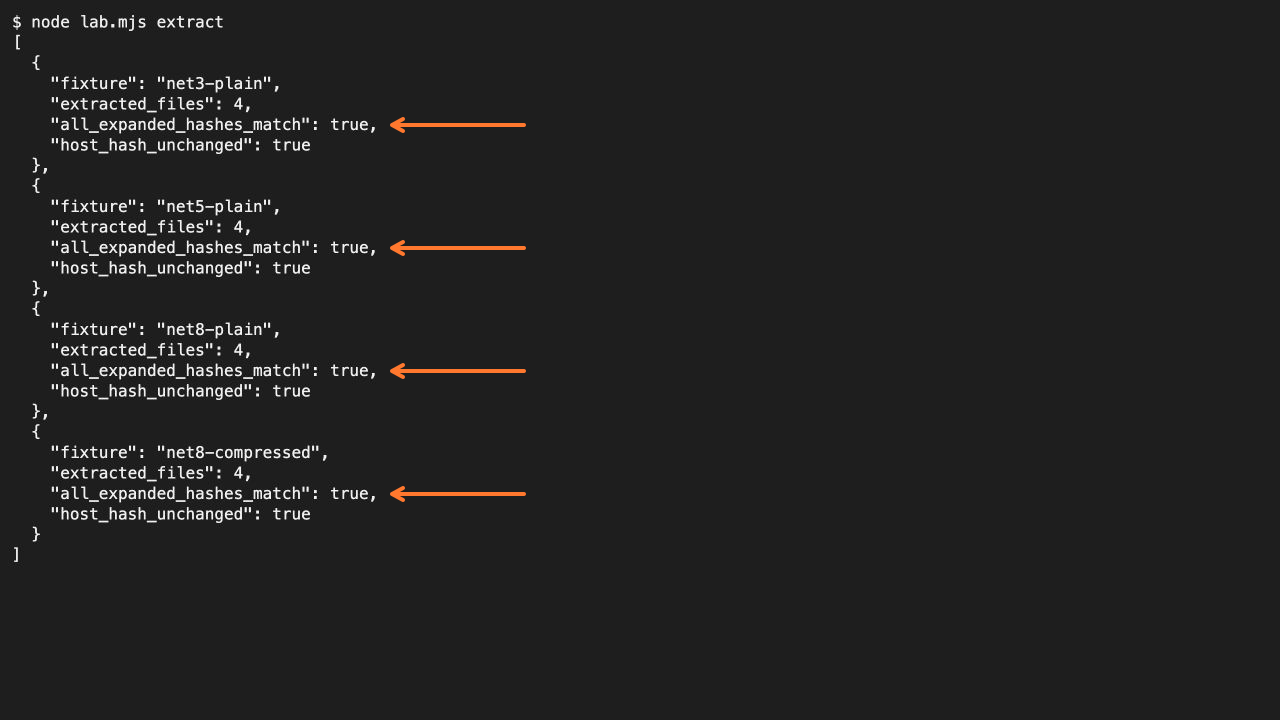
node lab.mjs extractFor each fixture, the script calls REA’s extraction command, checks containment, hashes every actual output file, compares sizes and hashes with the oracle, and rechecks the whole host’s hash.
For compressed members, compare the decompressed output hash with the original file hash. The compressed byte range in the host is a different representation.
For an existing app:
node ../rea-upstream-test/scripts/rea.mjs \
  extract-artifact /absolute/path/single-file-app --format json
Use the returned output_root and artifacts entries to locate the output. REA creates a fresh owned directory; do not guess a location or overwrite your source. Retain the extraction response with the original host so their identities stay connected.
4. Inspect the extracted assembly explicitly
Run the final check:
node lab.mjs managedIt selects BundleFixture.dll from the compressed fixture’s extraction result, calls inspect-managed-artifact, and checks its hash against the original producer input.
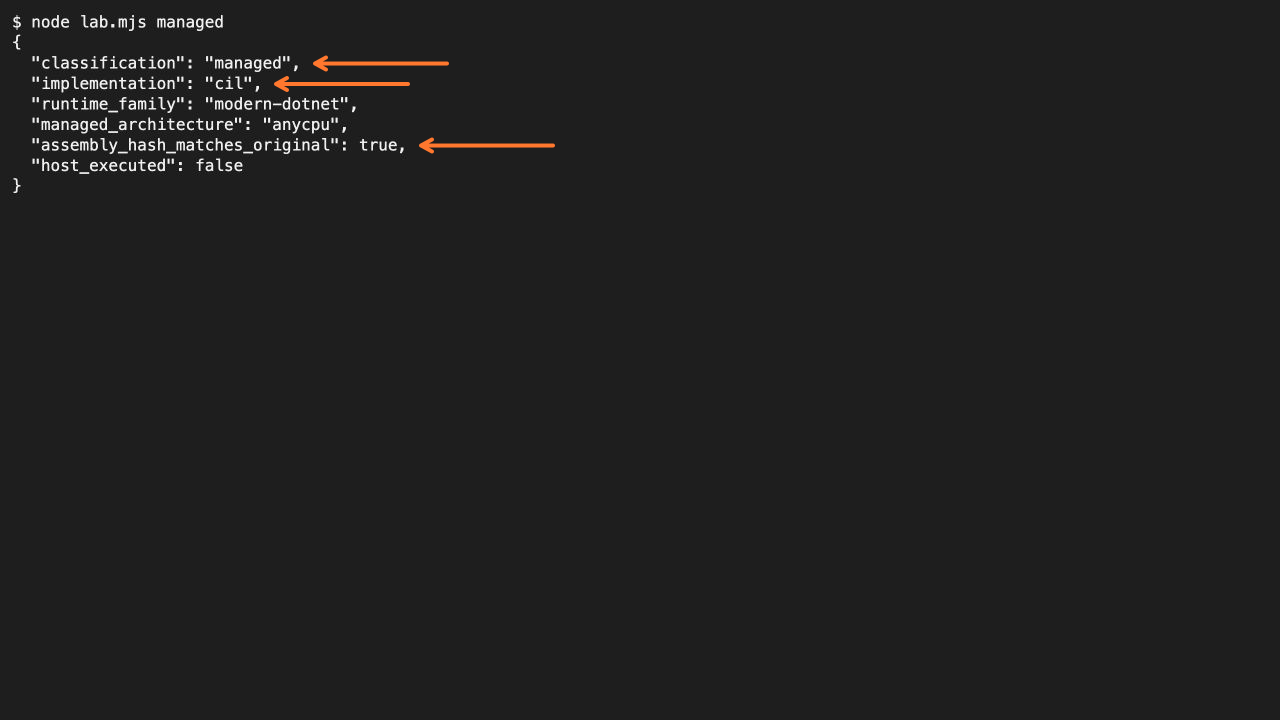
The managed classification concerns the extracted DLL. It does not relabel the native apphost or demonstrate application execution.
For your extracted component, substitute its actual path:
node ../rea-upstream-test/scripts/rea.mjs \
  inspect-managed-artifact /absolute/path/extracted/YourApp.dll \
  --format json
This is the useful transition: inventory the container, extract verified bytes, then ask managed-code questions about the selected assembly.
Supported layout is not universal support
The pinned documentation lists headers 1.0, 2.0 and 6.0, with raw DEFLATE support for the applicable v6 entries. Our runtime checks cover the four Microsoft-produced fixtures above on thin Mach-O hosts. They do not qualify a .NET 10-specific producer, PE or ELF apphost, every failure boundary, or a protected wrapper.
Bundled contents inside universal Mach-O slices are not expanded by this documented workflow. NativeAOT also needs a different analysis path; a native executable is not automatically a single-file managed bundle.
If an input is rejected as an unsupported or malformed layout, retain that failure. Do not turn it into a claim that the app has no embedded assemblies. See REA’s limits before choosing the next analysis step.