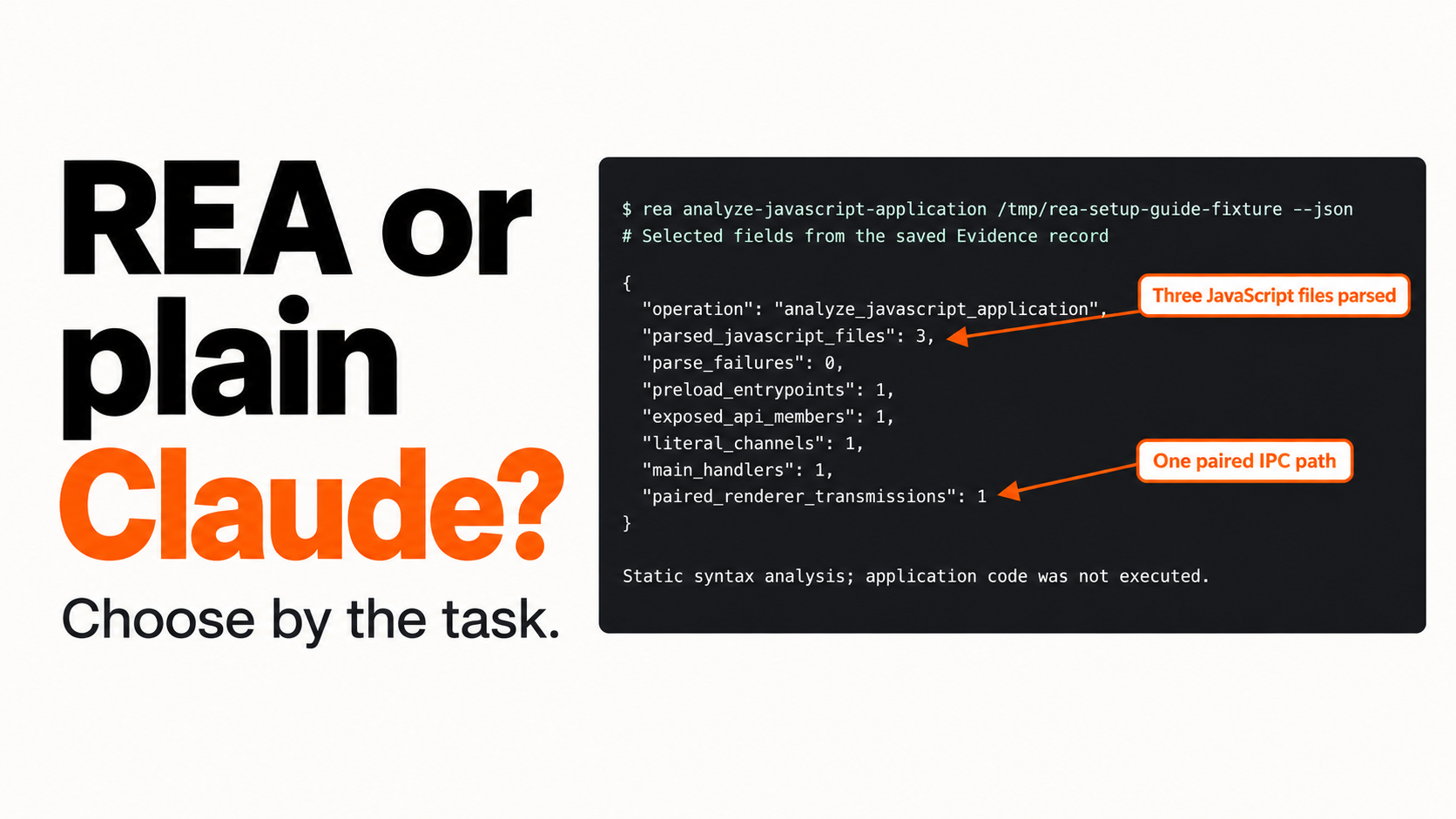
Use plain Claude Code when you already have readable source and a clear implementation task. Add REA when the work depends on extracting evidence from an unfamiliar package, tracing a boundary or inspecting an artifact the agent cannot usefully understand through ordinary file reading. If the required backend or runtime evidence is unavailable, gather better inputs before paying for a longer investigation.
This guide helps you choose the next workflow without assuming that REA is always faster, cheaper or more accurate. You get a decision table, a small comparison procedure and an editable worksheet.
This is a decision guide, not an original performance benchmark. Our attempted Claude comparison did not complete, so there are no original model scores, timings or cost rankings below. The local REA analysis and controlled sample tests are documented separately.
Jump to a step
- 1. Decide what success means before choosing tools
- 2. Define the baseline and the extra REA work
- 3. Run one small pilot and preserve incomplete results
- 4. Judge the result with the same tests
Make the first decision from your task
| Your task | Sensible starting point | Why |
|---|---|---|
| Change a function in readable source you already understand | Plain Claude Code | Direct file reading may answer the question without extra setup |
| Build a rough prototype from your own specification | Plain Claude Code | The primary task is implementation, not recovering hidden behavior |
| Trace a feature through an unfamiliar Electron package | Try REA on one feature | Artifact analysis can expose useful relationships and evidence |
| Inspect a native or managed artifact | Verify the appropriate REA workflow first | Provider support and available inputs determine feasibility |
| Reproduce a private service from its visible screen | Gather more evidence or narrow scope | Neither workflow gains access to unavailable server implementation |
| Decide whether a finding is safe to build on | Use the same acceptance tests for either route | A persuasive answer is not a behavioral result |
REA is an investigation tool layer used by an agent. It is not a separate base model competing with Claude. “REA versus Claude” only becomes meaningful once you define what tools, artifacts and instructions each condition receives.
1. Decide what success means before choosing tools
Pick one feature and write the result you need. For Pocket Notes, the question is “How does exporting notes reach the CSV write, and what happens on cancellation?” It has source references and a small testable contract.
Define success across separate dimensions:
- Behavior: does the output handle the normal path and relevant edge cases?
- Traceability: can you inspect the evidence behind each material claim?
- Visual fidelity: does the interface match the states you actually care about?
- Integration: do permissions, platform APIs and services work?
- Effort: how much setup, model work and human repair did the task need?
Do not collapse these into a single unexplained accuracy score. A screen can look close while its save action fails.
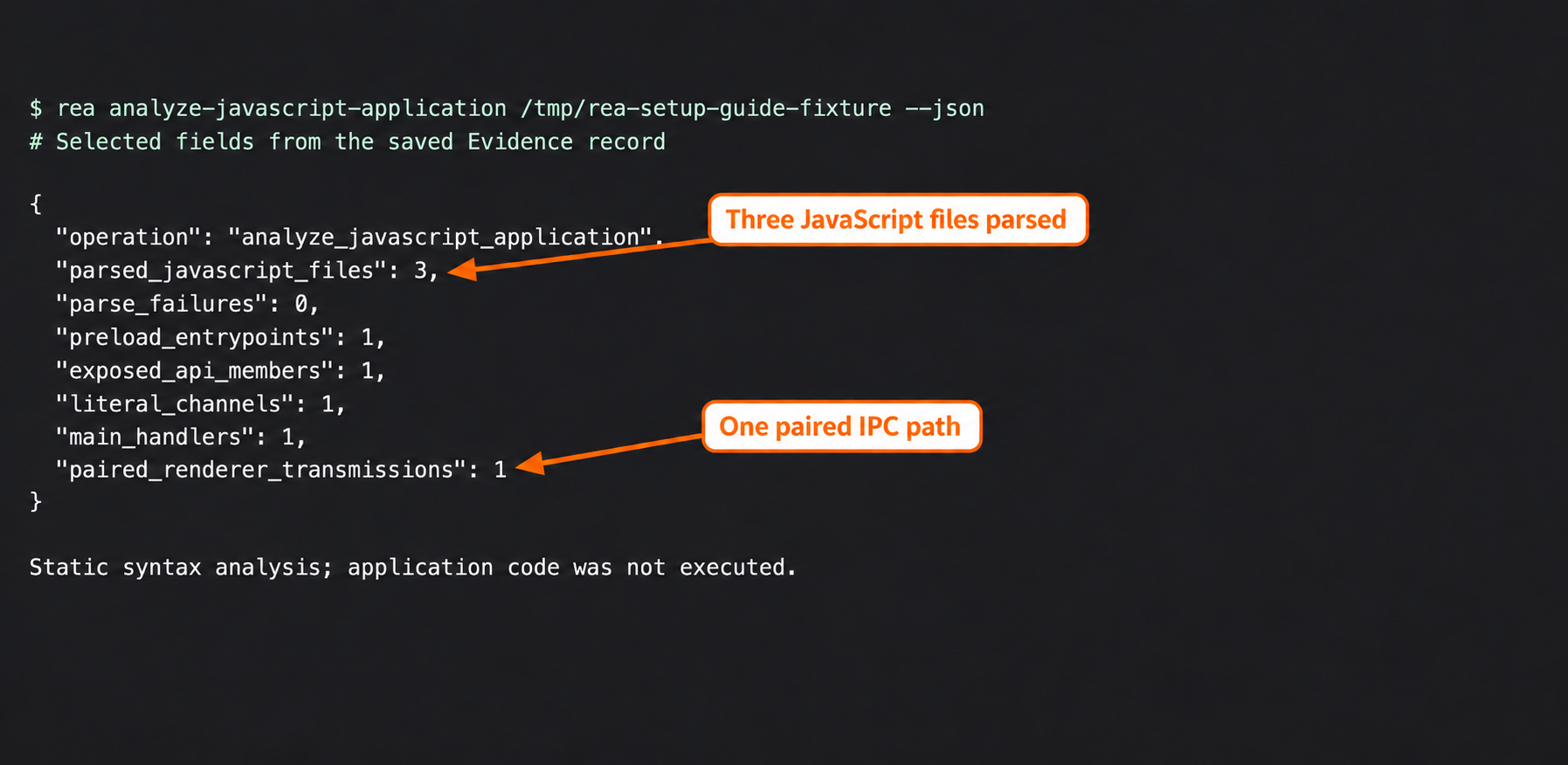
Actual REA analysis from the setup walkthrough. These counts describe static inspection of this sample, not a model accuracy score or a comparison result.
Use the target-selection guide if the required evidence is unclear. If readable source already settles the question, that is a good reason to start with direct inspection.
2. Define the baseline and the extra REA work
A fair comparison needs more than the same sentence pasted into two chats. Record what each agent can see and do. Otherwise, you may accidentally compare different inputs or different models rather than the value of REA.
| Record before running | Plain condition | REA-assisted condition |
|---|---|---|
| Target and version | Same fixed sample | Same fixed sample |
| Model and client | Exact resolved versions | Same versions where possible |
| Starting context | New context | New context |
| Source and other inputs | Explicit list | Same list, with additions disclosed |
| Available tools | Name the baseline tools | Name REA tools and providers |
| Task and acceptance tests | Frozen prompt and tests | Same prompt and tests |
| Stop rule | Preselected effort/spend limit | Equivalent limit |
| Human help | Log corrections and extra files | Log the same kinds of intervention |
If one condition receives a prepared REA report, call it evidence-assisted. That experiment does not measure live MCP tool selection, provider setup or the full REA skill workflow. If one model changes, the result no longer isolates the tool layer.
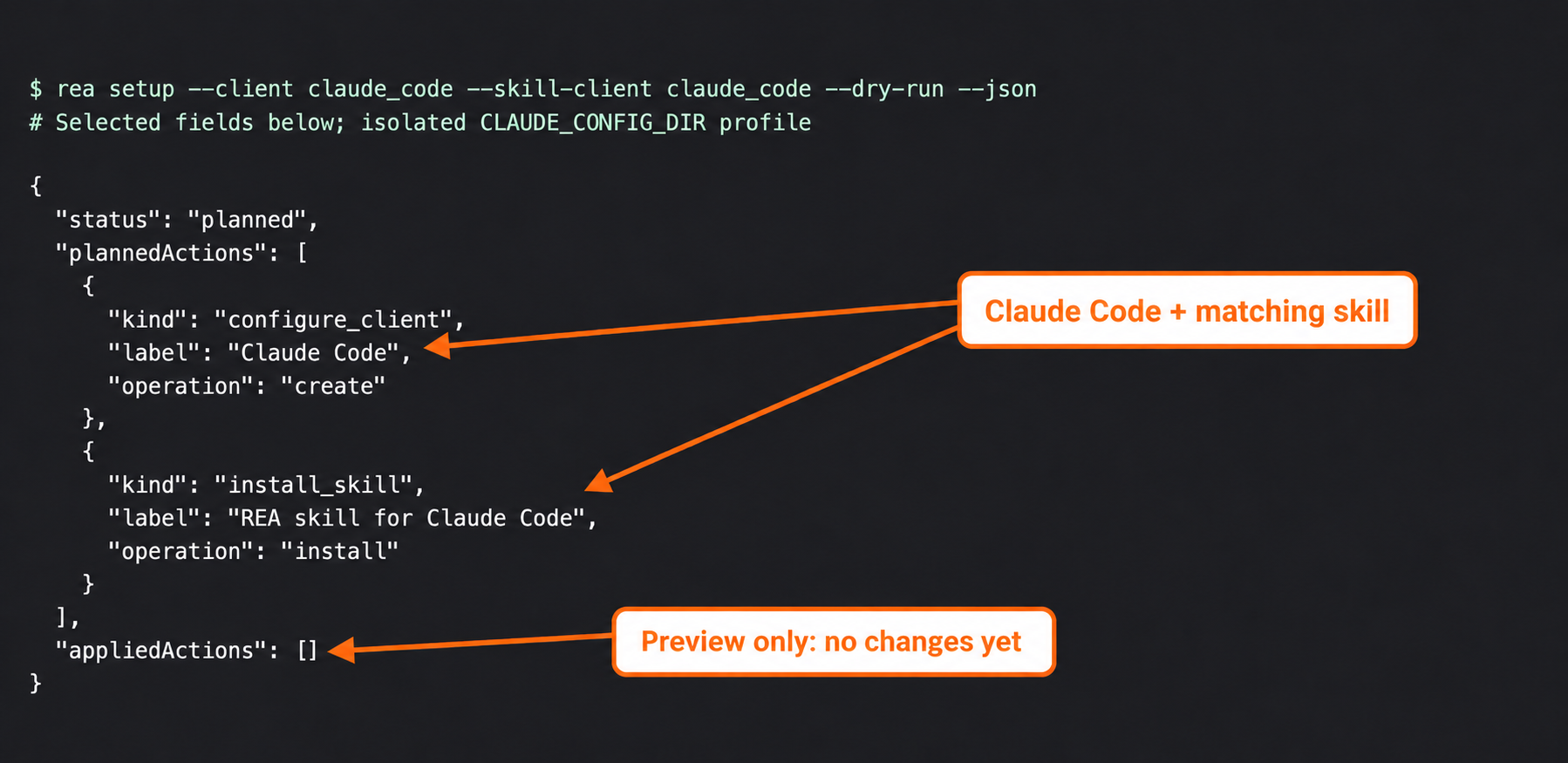
Actual setup-plan capture from the separate-profile walkthrough. Configuration and skill setup are work to account for, not evidence of a performance advantage.
For a reproducible small exercise, use the diagnostic and verification kit. If you need help stating the task, use the scoped prompt templates before running either condition.
3. Run one small pilot and preserve incomplete results
Start with the simplest route that could answer the question. Keep the prompt, output, interventions and any changed files. Then run the alternative from a clean context with the declared inputs.
For each condition, record:
- Whether the model request actually completed.
- Which tools ran and what evidence they returned.
- Which claims have usable references.
- Which acceptance tests passed, failed or remain unexecuted.
- Setup, model and human-repair time separately.
A configured server is not a completed investigation. Our setup walkthrough verified that claude mcp list reported REA connected. That establishes a connection checkpoint; it does not establish that a model used the tool to solve the task.
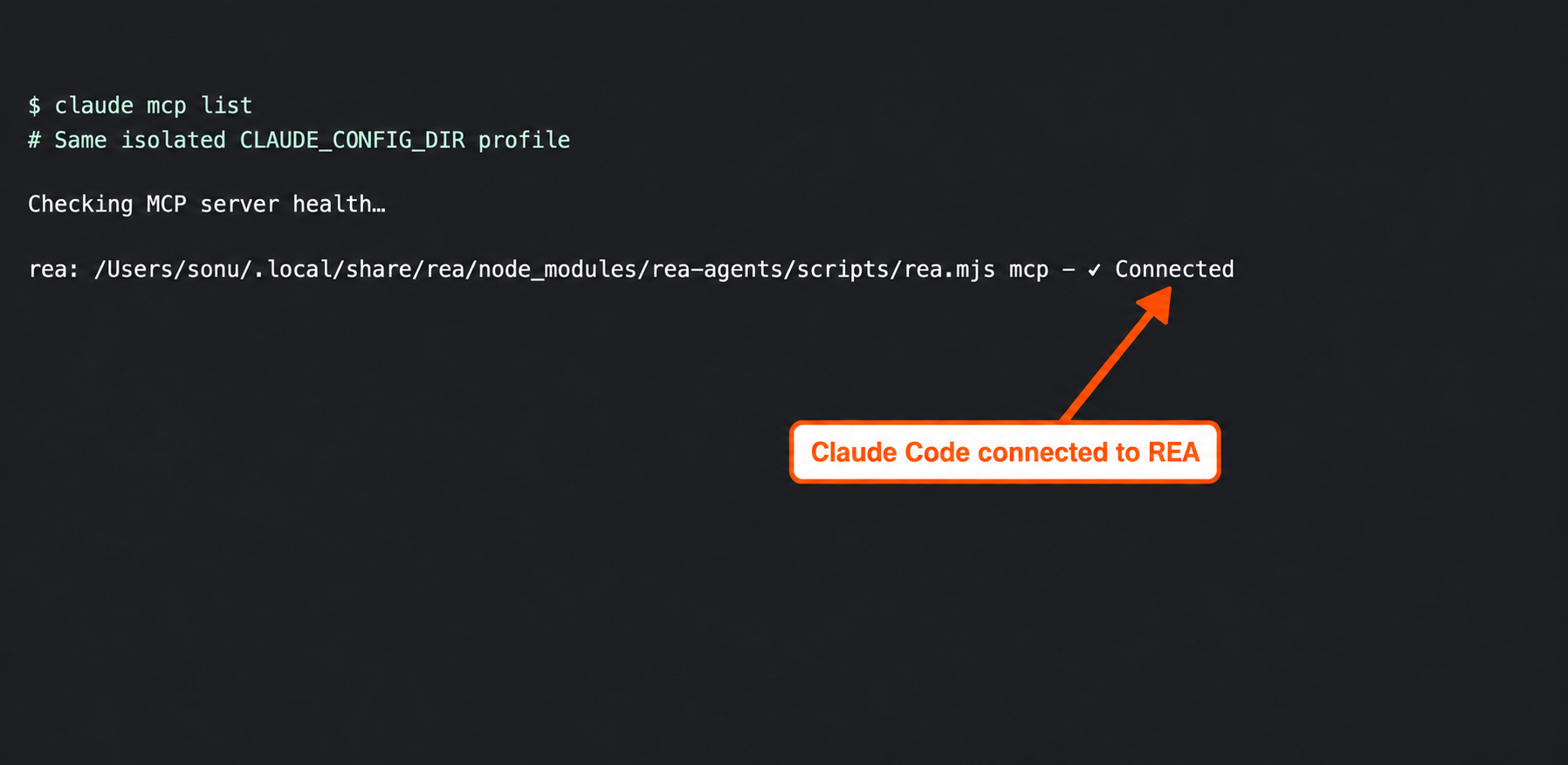
Actual connection check. It is not a side-by-side model result, and no speed or quality conclusion follows from this screenshot.
Our attempted source-only and prepared-evidence Claude runs both stopped at an authentication error before a model answer. Their reported model usage was zero. We therefore excluded them from quality, speed and cost scoring. Failure durations are not benchmark timings.
If a run stalls or fails, record the failure rather than replacing it silently with a successful retry. Use the troubleshooting guide to identify whether the problem is launch, connection, provider or target-related. An environment problem may say little about the investigation method itself.
4. Judge the result with the same tests
Run the same checks against each completed output. Keep proposed tests visibly separate from executed ones. A model saying “this handles cancellation” is a claim to check, not a test result.
Our Pocket Notes handler was checked for:
- Cancellation without requesting a write.
- A missing path without requesting a write.
- Correctly quoted CSV after a selected destination.
All three controlled checks passed. They ran the sample’s actual handler with mocked dialog and file-writing dependencies. They did not compare generated implementations, exercise a native dialog or write a real file.
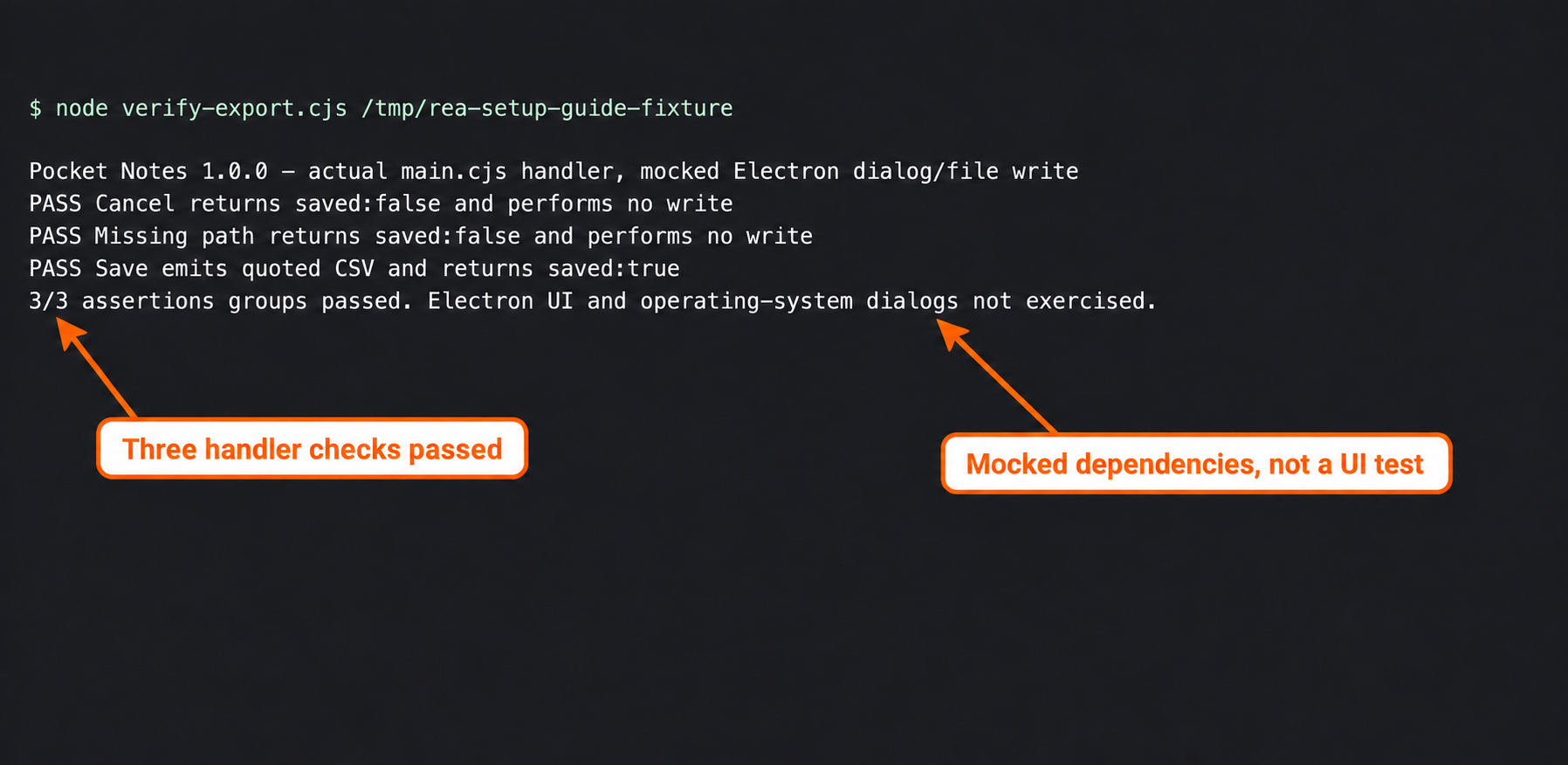
Actual sample test result, supplied as a verification example. It is not evidence that one model workflow outperformed another.
Keep the results table simple:
| Result | Next decision |
|---|---|
| Plain workflow answers the question with references and passing tests | Keep that workflow for this task |
| REA supplies missing, useful evidence that changes the decision | Continue with the narrowed REA investigation |
| REA adds output but no useful references or testable insight | Reduce scope or return to the simpler route |
| Both lack the evidence needed for a material claim | Gather better artifacts or leave the claim unresolved |
| Visual result improves but behavior fails | Fix the behavior before calling the reconstruction complete |
The finding-verification guide provides a ledger for those decisions. Keep quality, elapsed time and cost separate. If you later measure cost, use the actual model-usage record, state pricing assumptions and include retries; do not turn subscription access or a zero-usage failure into a claim of free work.
What the creator videos contribute
The research videos suggest useful experiments, but they do not form one comparable benchmark:
- Nick Saraev’s Preview comparison, around 2:54, provides a mixed creator-run example. It is a reason to test a baseline, not a universal winner.
- Nate Herk’s workflow discussion, around 8:18, emphasizes feature-level investigation and retained evidence. Apply that sequencing to a small question.
- Tech With Tim’s comparison, around 8:15, uses an eight-feature MongoDB Compass-inspired task across models. Different models prevent attributing differences solely to REA; the video also includes a sponsored segment.
Use their task designs as inspiration and keep their reported results attributed. Different targets, models, inputs and test criteria should not be pooled into a single speed multiplier or accuracy percentage.
Choose your next hour of work
If your next step is ordinary implementation from readable source, start plain. If a specific artifact question blocks the build, set up REA and investigate only that question. If the missing part is unavailable service behavior, narrow the product promise or obtain the needed evidence.
Write down the choice, the evidence that would change it and the stop condition in the comparison worksheet. That gives you a practical way to decide whether the extra investigation is earning its place in the workflow.