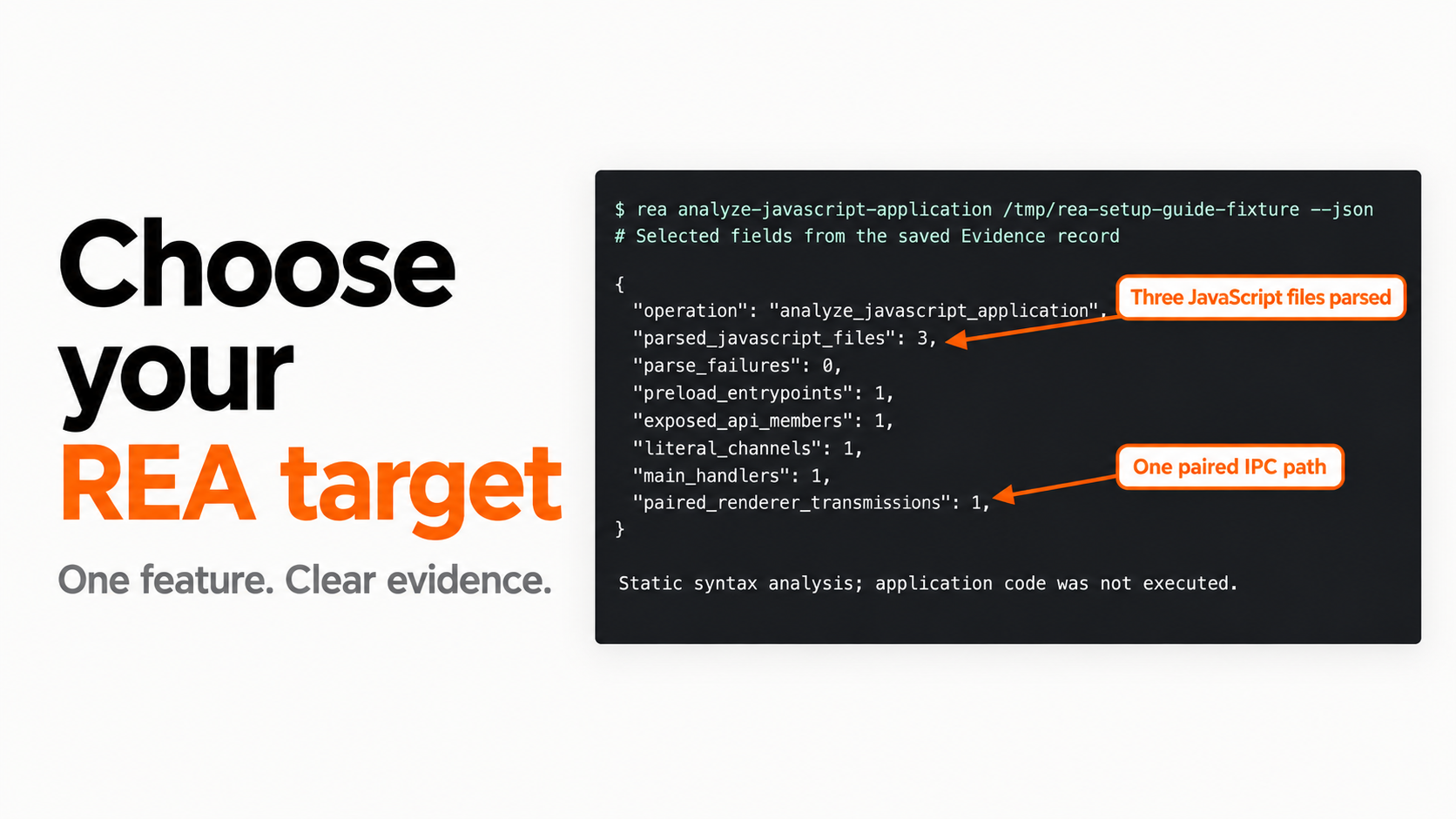
Choose a target REA can actually inspect before you spend time configuring tools or asking for a rebuild. This guide helps you match your question to the files and observations available, then decide whether to proceed, narrow the task or collect better inputs.
You will leave with:
- One feature worth investigating and a test that could settle it.
- A workflow matched to Electron, browser, native or managed artifacts.
- A written list of missing evidence, including anything hidden on a server.
Start with the target-selection worksheet. The worked example uses Pocket Notes 1.0.0, our small source-available Electron fixture. Its JavaScript analysis was repeated with REA 6.8.0 on macOS on 31 October 2026. Other rows below are routing advice, not a claim that every format or provider was tested here.
Jump to a step
- 1. Replace the product name with one answerable question
- 2. Inventory the evidence you can supply
- 3. Match the tool to the evidence gap
- 4. Run a pilot and make a go, narrow or stop decision
Choose the route that matches your input
| What you have | Useful first question | Starting route | What remains to check |
|---|---|---|---|
| An extracted Electron/JavaScript app | Which renderer action reaches which handler? | Inspect the package, preload API and IPC path | Dynamic channels, native addons and runtime registration |
| A browser page and its loaded assets | What changes when I click this control? | Observe the interaction and inspect accessible scripts | Private backend logic, permissions and unobserved states |
| A native executable or library | What does one named function compute? | Identify architecture and a compatible native provider | Decompiled meaning, callers and behavior on real inputs |
| A managed assembly or bundled .NET app | Where is this operation implemented? | Identify the container, extract when supported, inspect managed code | Native dependencies, obfuscation and runtime integration |
| Your own iOS build | Can one behavior be inferred from this exact build? | Confirm architecture, symbols and provider prerequisites | Stripped builds, Swift tooling and device-only behavior |
| Only a screenshot or marketing demo | Which visible controls belong in a prototype? | Write a visual requirements list first | Almost all hidden behavior and implementation details |
The first row is demonstrated by our fixture. For concrete native and managed examples, use the DX-Ball function study and the tested .NET bundle guide. Treat compatibility as a property of a specific artifact, host, version and operation—not a label attached to an entire product category.
1. Replace the product name with one answerable question
“Recreate this note-taking app” leaves the agent to invent the finish line. “Trace what happens when Export is clicked, including cancellation” gives it an entry point and a result you can check.
Write three lines before running anything:
Question: How does Pocket Notes export title/body data to CSV?
Deliverable: Renderer → preload → main-handler map with references.
Acceptance check: Cancel causes no write; quoted text survives serialization.
This small scope saves investigation time because it tells you when to stop reading. It also stops a convincing diagram from becoming an untested promise about the whole app.
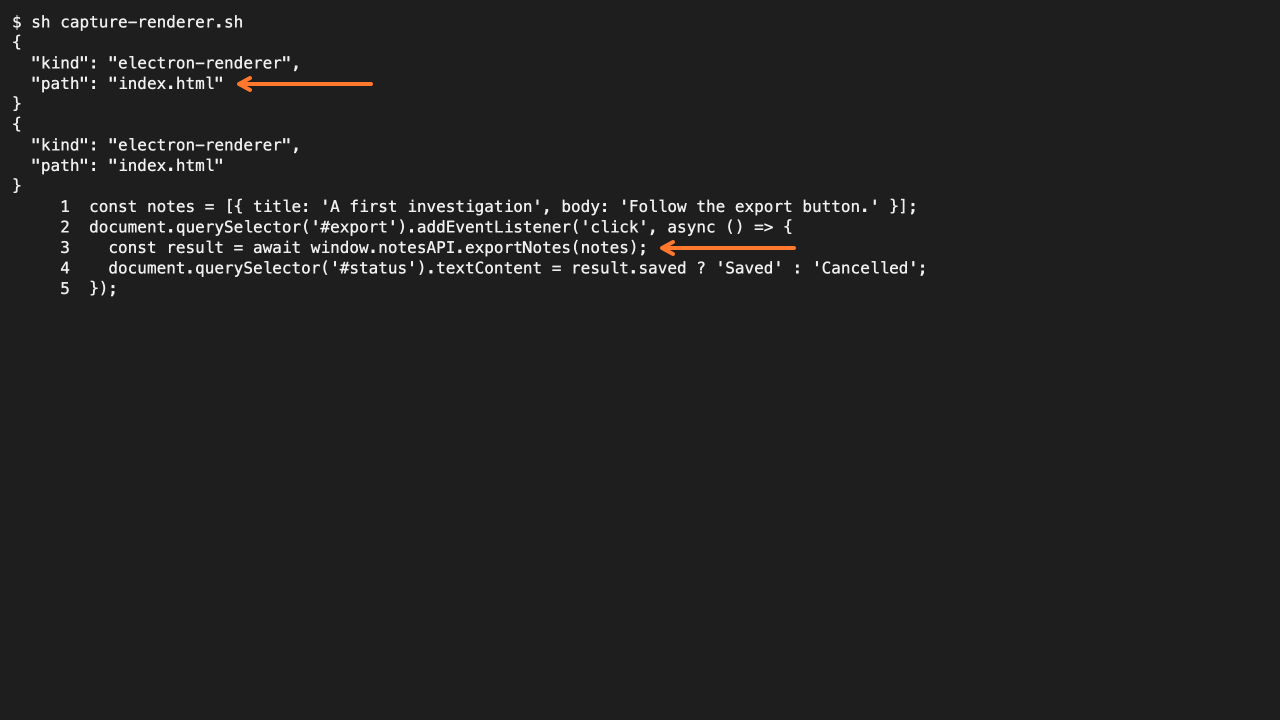
Existing source capture from the Pocket Notes investigation. The export action is a useful starting point; the screenshot alone does not establish a successful file save.
The same approach works for a drawing app: pick rectangle creation, arrow creation, text editing and selection. Exclude multiplayer, accounts and cloud storage until they become separate, testable requirements.
Code With Aarohi’s walkthrough follows a related progression from inspecting Excalidraw to a small drawing application. We use its bounded feature scope as a planning example, not as proof of full Excalidraw equivalence.
2. Inventory the evidence you can supply
List the files, versions and runtime access you actually have. A folder named after an application is not enough: identify whether it contains readable JavaScript, a package archive, a native binary, a managed assembly or only downloaded assets.
For Pocket Notes, the useful inputs are explicit:
renderer.js: the button action and displayed result.preload.cjs: the API exposed across the process boundary.main.cjs: the export handler and write request.index.htmlandpackage.json: the small learning fixture’s surrounding files.
Keep a stable copy while analyzing it. If files change during the read, a later result may no longer describe the same target. Save a digest when your tool supplies one and keep the exact input with the evidence.
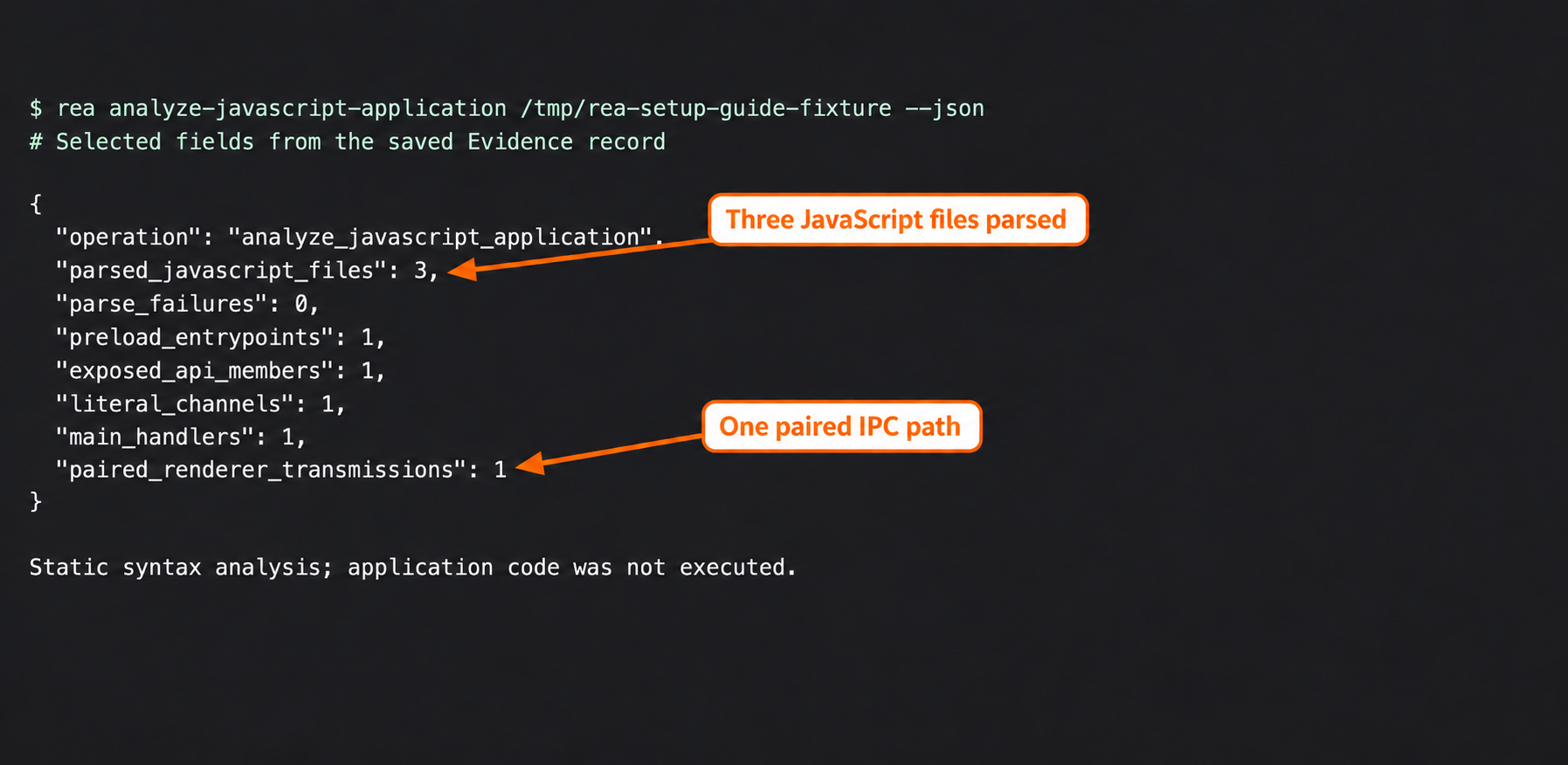
Actual selected fields from the earlier setup run. The repeated diagnostic run also parsed three JavaScript files with zero parse failures. Neither static run executed the app.
For a browser target, accessible JavaScript and observed responses can inform a feature explanation. They do not give you the private service source. For an installed app, an endpoint string proves a configured value exists; observing a request is a separate check.
If the essential input is missing, write that down now. “Need a permitted build with symbols” is a useful next action. Repeating a broader prompt does not supply the missing artifact.
3. Match the tool to the evidence gap
Ask what you still need to know after reading the inputs. If a JavaScript preload invokes a literal channel, static inspection may explain the intended route. If you need to know whether the route is registered and reachable in a particular window, observe the running application.
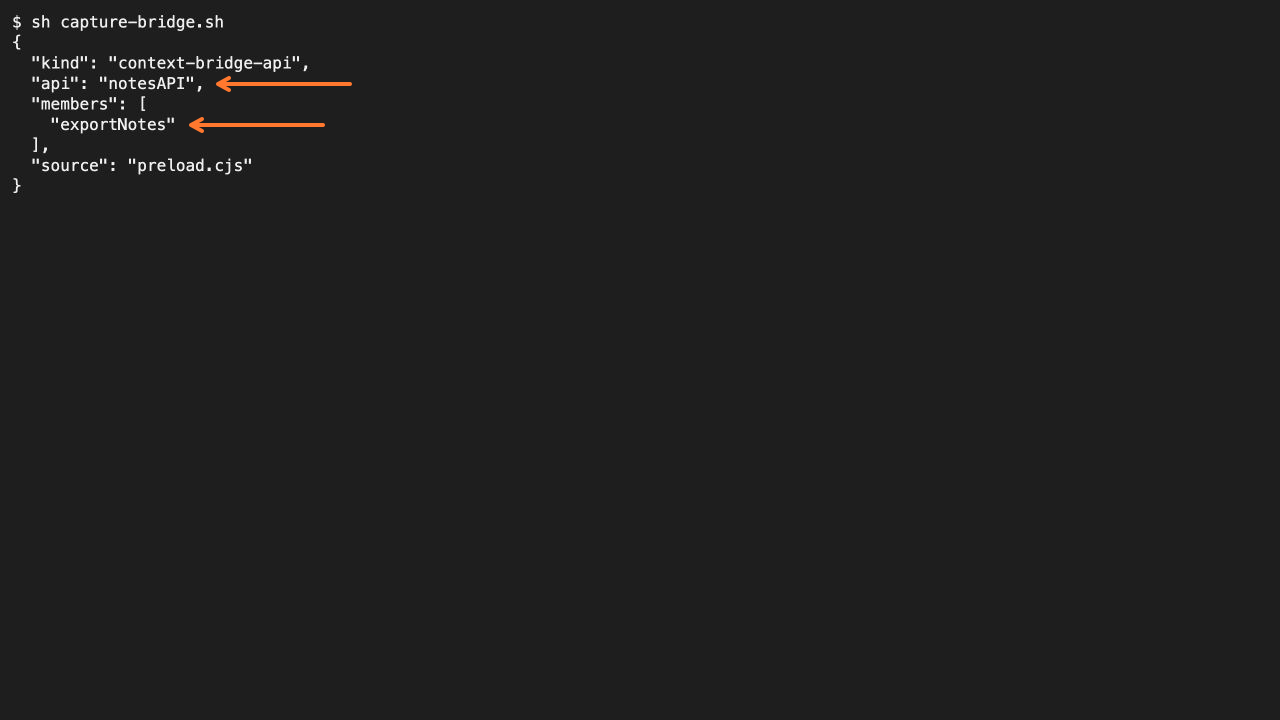
Existing Pocket Notes bridge capture. A source relationship identifies the next place to inspect; runtime reachability needs additional evidence.
Use this decision order:
- Can direct source inspection answer the question? Start there.
- Is the relevant information inside a supported artifact or container? Use the corresponding inspection route.
- Is the question about execution, timing, permissions or integration? Plan a bounded runtime observation.
- Does the answer depend on inaccessible server code or data? Narrow the deliverable or obtain an appropriate test environment.
The native-tool chooser helps with provider decisions. The browser guide explains how observations complement shipped assets. Neither route makes unavailable information available by default.
The research offers useful contrasts. Cyrus’s Slack investigation studies a particular installed client, while the Ceos3c game-DLL experiment reports an incomplete feature. Those examples illustrate why a plausible explanation and a working replacement need different evidence.
4. Run a pilot and make a go, narrow or stop decision
Choose one question and an effort ceiling before the pilot. A twenty-minute investigation limit is a planning choice, not a measured REA performance promise. Use whatever limit fits the importance of your task.
For the included sample, the pilot is: inspect the export route, check cancellation in the actual handler, and record what remains untested. The diagnostic and verification kit contains the fixture and runnable checks.
node verify-claims.cjs ./pocket-notes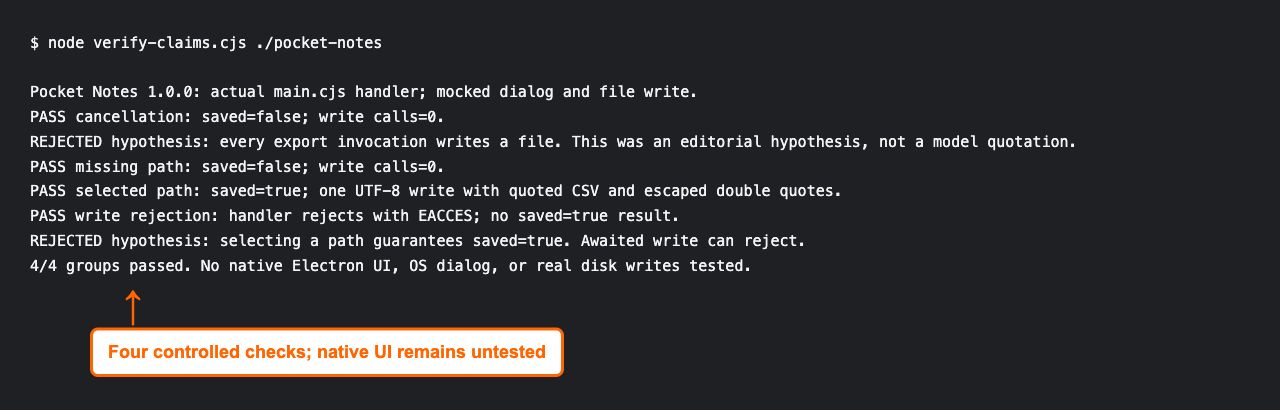
Actual handler checks on 31 October 2026. Dialog and write dependencies were controlled; native UI and real disk writes remain untested.
| Pilot result | Decision | Next action |
|---|---|---|
| Reference resolves and a relevant check passes | Proceed within that scope | Write the supported requirement and retain the evidence |
| Source path is clear but integration is untested | Narrow | Build a handler-level brief, then plan the UI check |
| A key input or provider is unavailable | Pause or change inputs | Record the missing prerequisite rather than claiming success |
| The desired result depends on an unseen backend | Change the deliverable | Prototype the interface or obtain a suitable test service |
For Pocket Notes, the sensible decision is to proceed with the handler contract while leaving native integration open. Passing a mocked write test does not resolve permissions, disk failures or operating-system dialogs in a deployed app.
Complete your one-page plan
Use the worksheet to retain the target/version, question, available inputs, chosen route, known gaps, acceptance test and stopping condition. Then move to scoped prompts or setup, depending on what is missing.
Before choosing between a plain coding agent and extra investigation tools, read REA versus plain Claude Code. The useful question is whether more artifact evidence changes your decision—not whether one tool is universally better.
Common target-selection questions
Can REA recover a private backend from a client?
Client artifacts and observed responses can reveal part of an interface contract. They do not establish access to the server’s implementation, complete data or operational behavior. Keep those gaps in the plan.
Does a working UI clone prove feature parity?
No. Test state changes, error cases and integrations separately. A seeded music-player demo may illustrate search and playback controls without reproducing a commercial catalog or recommendation service.
Does this table cover every supported format?
No. It is a practical starting router. Check the current operation documentation for an exact artifact and provider before making a compatibility claim. Search suggestions and video titles are not a support matrix.