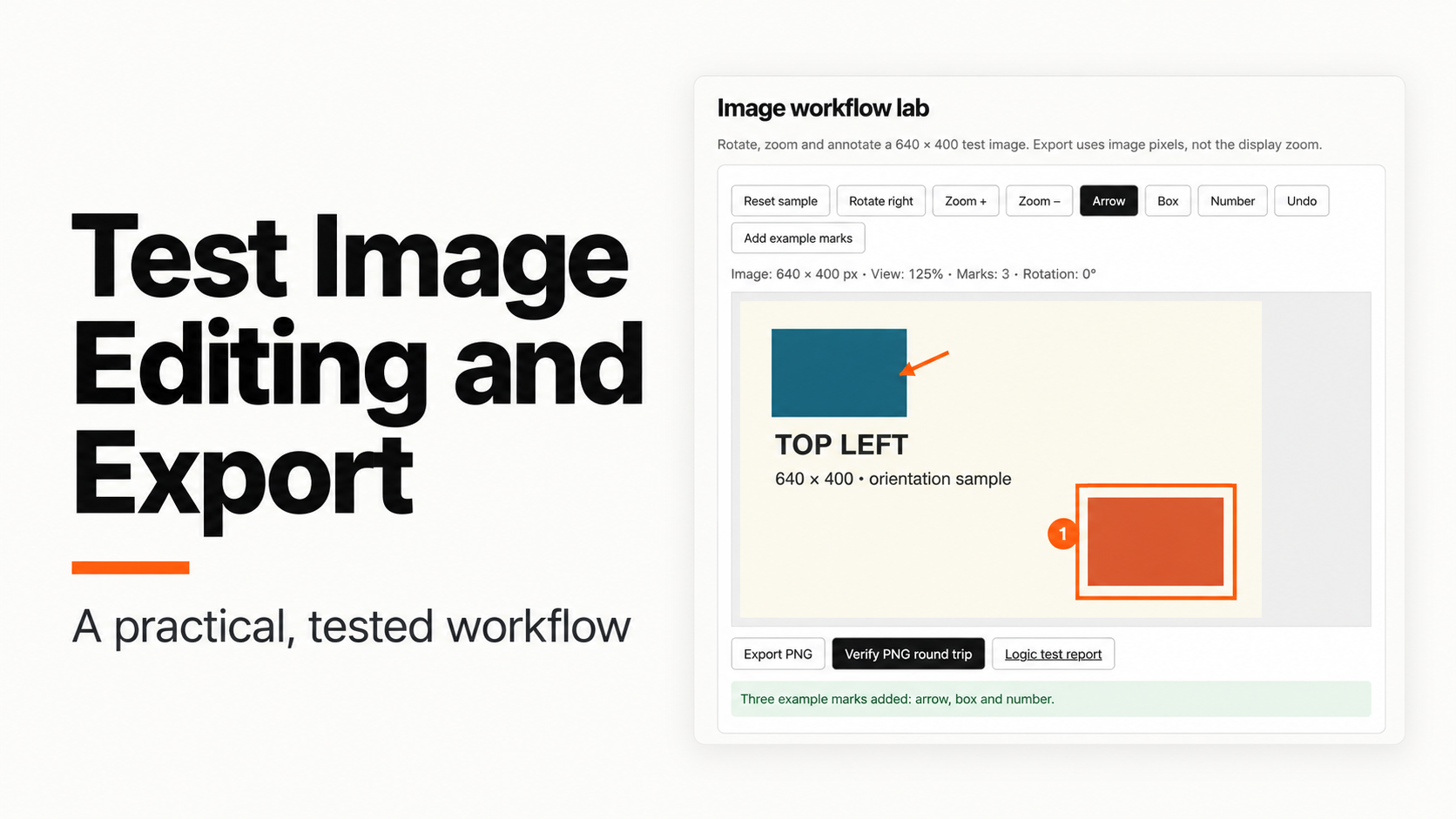
Check an image editor with a picture designed to expose mistakes. A recognizable corner, known dimensions and a few annotations can reveal rotation errors, incorrect pointer coordinates and exports that silently use the wrong size.
This guide uses an original 640 × 400 local fixture. Its model tests cover geometry, annotation state and project serialization. It is a validation exercise for a small rebuild, not a reproduction of a commercial application or a comparison between coding models.
You will produce three useful outputs:
- A written distinction between image dimensions and display zoom.
- A repeatable rotation and annotation check.
- An exported image that can be reopened and compared with the canvas.
Download the tested workflow kit. The image lab and its tests are in the visual directory. If you are investigating an existing app first, use the REA setup guide and keep the investigation separate from these acceptance checks.
Jump to a step
- 1. Establish an image-space baseline
- 2. Check rotation and pointer coordinates
- 3. Reopen the export and compare pixels
1. Establish an image-space baseline
Start with a non-square picture. A square can hide an accidental width-and-height swap. Our sample has a blue block near the upper-left corner, an orange block near the lower-right corner and text identifying the top-left orientation.
Run the local tests from the extracted kit’s visual directory:
node test.mjs
python3 -m http.server 8000
Open http://127.0.0.1:8000/editor.html. The sample begins at 640 × 400 pixels, 100% zoom and zero marks. Select Reset sample before each new test sequence so that earlier edits cannot explain a later result.
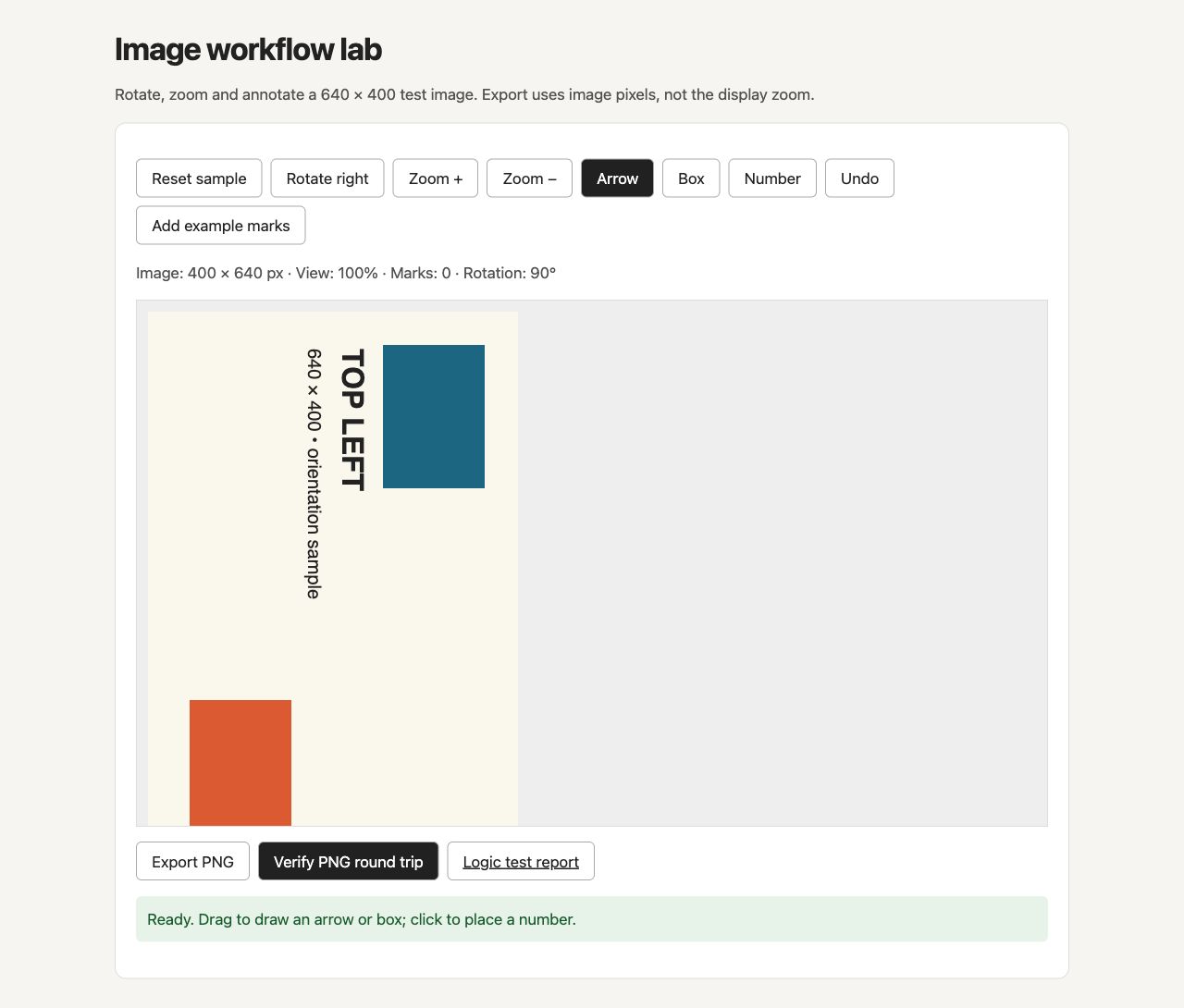
Write the starting state down before interacting. In a real project, include the input filename, pixel dimensions, format and any metadata that matters to the feature. The local fixture uses a generated sample and does not test arbitrary image decoding or embedded color profiles.
The acceptance rule is straightforward: zoom changes how large the image looks on the page. It must not silently change the number of pixels in the saved image. A viewer that doubles its display size may still need to export exactly 640 × 400 pixels.
If the expected behavior is unclear, resolve it before implementation:
Define the image editor's coordinate rules before changing code.
Separate source-image pixels, display scale and pointer coordinates.
For zoom and rotation, state which values change and which stay fixed.
Return acceptance checks for each operation. Do not infer saved-image
behavior from the on-screen appearance alone.
We also inspected the delivered fixture with REA 6.8.0. It parsed both standalone JavaScript files with zero parse failures. This was a static inspection of our own packaged example; it did not execute the editor or establish pointer and export behavior. The separate browser checks below cover those observed states.
Keep this specification with the investigation evidence. When a later test fails, you can identify which rule was violated rather than asking for a vague visual improvement.
2. Check rotation and pointer coordinates
Select Rotate right once. The lab changes its image dimensions to 400 × 640. Select it three more times to return to the initial orientation. Compare both the colored corners and the orientation text.
Then reset the sample and select Zoom +. At 125%, the display becomes larger, but the image remains 640 × 400 pixels. Try adding an arrow at the enlarged scale. Pointer positions must be converted back into image coordinates before the annotation is stored.
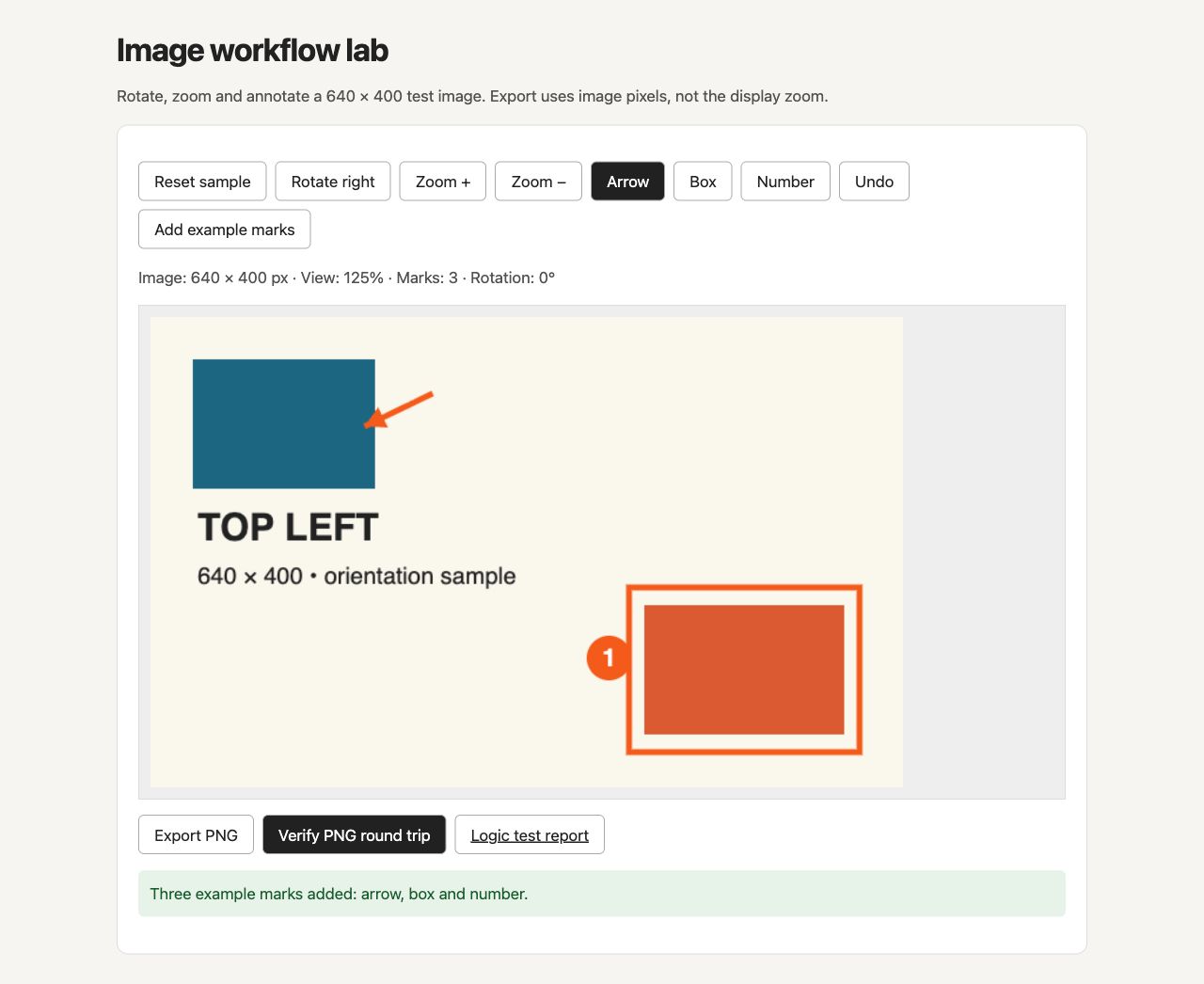
The conversion used by this fixture divides display coordinates by the zoom factor. A pointer 240 pixels across a view displayed at 200% corresponds to 120 image pixels. Forgetting that conversion makes annotations drift when the user changes zoom.
The automated suite checks that mapping with exact values. It also rejects a zero zoom factor, checks the dimensions after a quarter-turn and verifies that a four-turn coordinate transform returns to the starting position.
Use this compact manual sequence:
| Action | Check |
|---|---|
| Rotate once | Width and height swap; corner positions change predictably |
| Rotate four times | Original orientation returns |
| Zoom in | Display grows; source dimensions stay constant |
| Add a mark | Mark appears at the intended image location |
| Zoom out | Mark stays attached to the same image content |
| Undo | Only the most recent mark disappears |
The small lab intentionally requires marks to be reset before rotation. Rotating an already annotated document is a separate requirement; this fixture does not claim to implement it. Record such limits in the brief so they do not become accidental product promises.
When inspecting another implementation with REA, ask where pointer positions are normalized and where rotation changes the image state. Treat a matching function name as a lead, then inspect the relevant calculation and verify it with a runtime interaction.
3. Reopen the export and compare pixels
Reset the sample, select Add example marks, then use Verify PNG round trip. The lab encodes the current canvas as a PNG, decodes that PNG into a new bitmap and compares the decoded pixels with the canvas pixels.
The check reports the reopened dimensions, the number of changed color channels, the annotation count and the exported byte size. It tests the actual browser’s encoder and decoder rather than comparing two arrays that never passed through a file format.
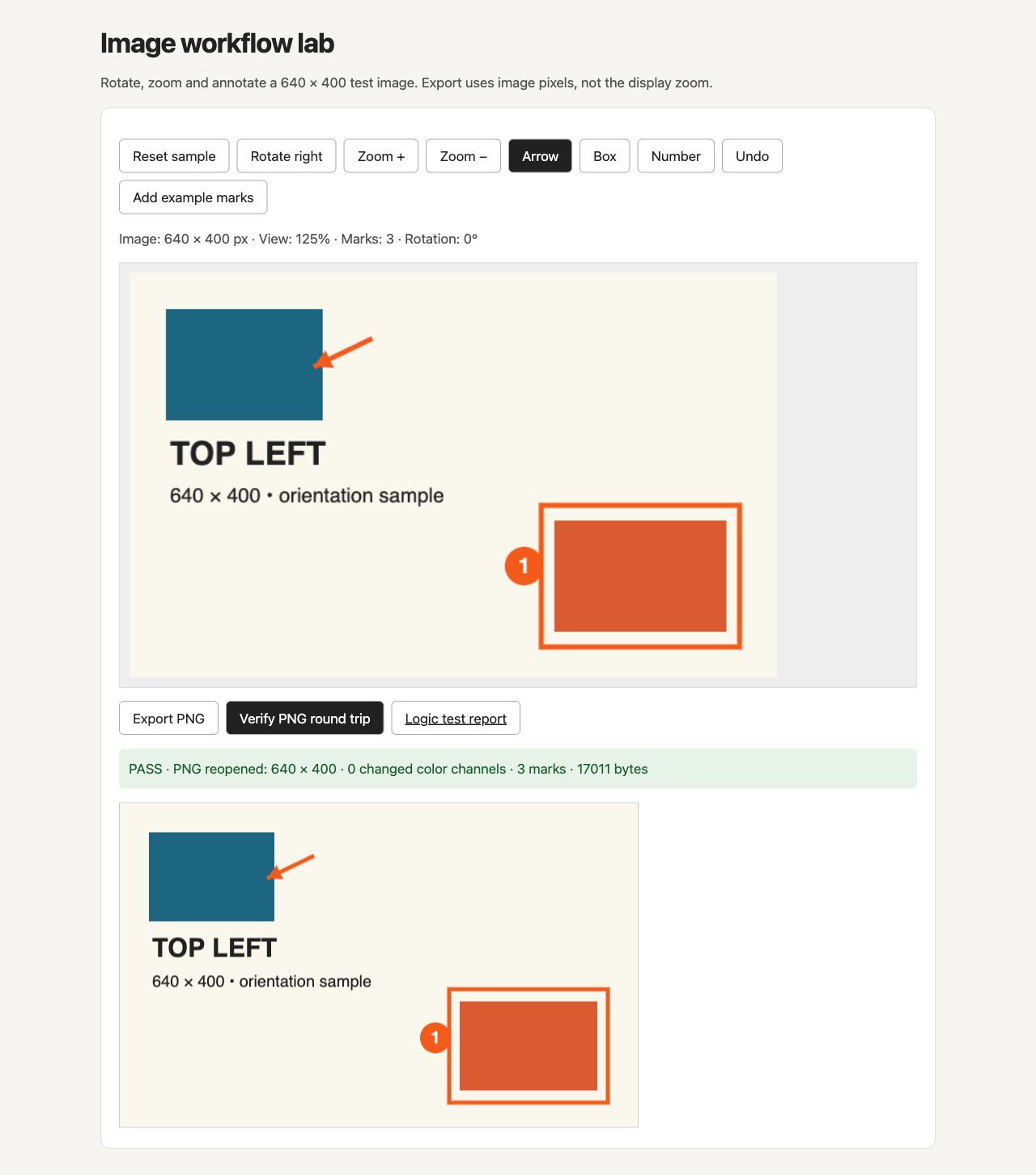
For this fixture, a successful round trip requires:
- The reopened width and height match the canvas.
- Every decoded color channel matches its canvas counterpart.
- The intended annotations remain visible.
- The PNG contains data and can be opened again.
The Export PNG button separately downloads the image. Reopen that downloaded file in the viewer you actually intend to support. The in-browser round trip does not establish compatibility with every external editor, printing workflow or color-management system.
Our browser check reopened the three-mark PNG at 640 × 400 pixels with zero changed color channels; the encoded file was 17,011 bytes. The check ran after increasing display zoom to 125%, so the export retained image dimensions rather than the enlarged display size. A quarter-turn also displayed 400 × 640 pixels, and Undo reduced the mark count from three to two.
The local test run also passed nine geometry and annotation-state checks. Those include non-mutating mark insertion, single-step undo, empty undo and a serialized project round trip. The retained results.json records the actual runtime and outcomes; browser-observations.json records the separate interactive checks. Hand-drawn pointer insertion and user-uploaded images were not tested in this run.
If an export fails, capture the smallest sequence that reproduces it. Include image dimensions, zoom, rotation, mark count and the exact failing comparison. Fixing one coordinate transformation is more reliable than asking an agent to redesign the whole editor.
Before expanding the feature list, use the REA findings verification guide to connect each implementation decision to evidence or an explicit product choice. That makes a working export a testable result rather than a convincing screenshot.